




Adobe has announced a major upgrade to its creative software ecosystem by introducing conversational AI capabilities to Adobe Photoshop and Adobe Firefly. The new feature allows users to interact with creative tools using natural language commands, making image editing and content creation faster and more intuitive.
The update reflects Adobe’s broader push to integrate artificial intelligence across its creative platforms, helping both professionals and beginners streamline complex design tasks through simple conversations with AI.
What Is Conversational AI in Creative Tools?
Conversational AI refers to systems that allow users to interact with software through natural language instead of traditional menus and controls.
With this new capability, users can type or speak instructions such as:
- “Remove the background from this image.”
- “Change the lighting to sunset.”
- “Add a dramatic shadow effect.”
- “Generate a futuristic city skyline.”
The AI then interprets the request and performs the editing action automatically.
This approach makes powerful design tools easier to use, especially for people who may not have advanced editing skills.
How the Feature Works in Photoshop
In Adobe Photoshop, conversational AI acts like an intelligent assistant that helps users perform editing tasks quickly.
Instead of manually navigating through multiple tools and settings, users can simply describe what they want to achieve.
For example, a designer might type:
“Make the sky more vibrant and add soft clouds.”
The AI will analyze the image and apply appropriate adjustments automatically.
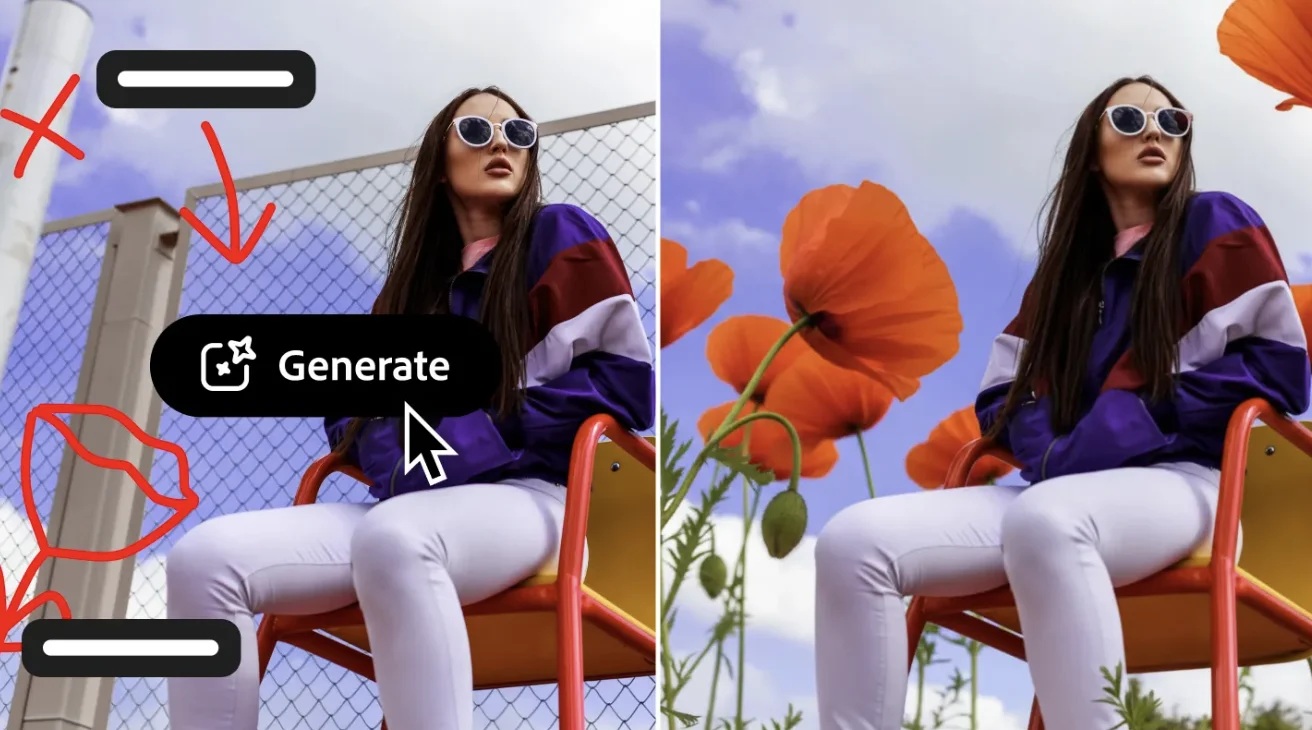
This capability builds on existing AI-powered features in Photoshop, such as generative fill and object removal.
Firefly’s Role in Generative Creativity
Adobe Firefly is Adobe’s generative AI platform designed specifically for creative work.
Firefly allows users to create images, graphics, and effects using text prompts. By integrating conversational AI, Adobe aims to make the process even more interactive.
Instead of entering a single prompt, users can now refine their creations through ongoing conversation with the AI.
For instance:
- “Create a futuristic city skyline.”
- “Make it at night with neon lights.”
- “Add flying vehicles and glowing billboards.”
Each new instruction updates the image in real time.
Making Creative Tools More Accessible
One of Adobe’s main goals with conversational AI is to make professional design tools accessible to a wider audience.
Traditionally, mastering software like Photoshop required significant training and experience.
By allowing users to simply describe what they want, the software can perform complex tasks automatically.
This could help:
- Beginners learn faster
- Creators work more efficiently
- Professionals speed up repetitive tasks
The technology acts as a creative assistant rather than replacing human creativity.
Powered by Adobe’s AI Technology
The conversational features are powered by Adobe’s proprietary AI models, which are trained on licensed and safe-to-use data.
Adobe emphasizes that its AI systems are designed with a focus on responsible AI development.
Key principles include:
- Respecting intellectual property rights
- Avoiding training on copyrighted content without permission
- Ensuring transparency in AI-generated content
This approach aims to address concerns raised by artists about generative AI tools.
Transforming the Creative Workflow
By combining conversational AI with generative tools, Adobe is changing how creative workflows operate.
Designers may soon be able to complete complex projects faster by working collaboratively with AI.
Instead of spending time on repetitive editing steps, creators can focus on ideas, storytelling, and artistic direction.
For example, a designer working on a marketing campaign could generate multiple variations of an image within minutes.
Competition in the AI Creative Space
Adobe’s move comes as competition in AI-powered creative tools continues to grow.
Companies such as OpenAI and Canva are also introducing generative AI features that allow users to create images and graphics with simple prompts.
However, Adobe’s advantage lies in its long-standing presence in the professional creative industry and its integration with widely used software like Photoshop.
By embedding AI directly into existing tools, Adobe ensures that professionals can adopt these new capabilities without changing their workflows.
Future Possibilities
Adobe’s conversational AI could expand to other applications within its ecosystem, including video editing and motion graphics tools.
Future capabilities may include:
- AI-assisted video editing
- Automated design suggestions
- Real-time collaboration with AI
- Advanced image generation and animation
As AI models become more powerful, the line between human creativity and machine assistance may continue to blur.
Conclusion
Adobe’s introduction of conversational AI in Photoshop and Firefly marks an important step in the evolution of creative software. By allowing users to interact with tools through natural language, Adobe is making complex editing tasks faster and more intuitive.
While professional designers will still rely on their artistic skills and judgment, AI assistants can help streamline workflows and unlock new creative possibilities.
As artificial intelligence becomes more integrated into creative platforms, the future of design may increasingly involve collaboration between human imagination and intelligent software.