



What's Hot

Google Chrome Brings Desktop-Like Bookmarks Bar to Android, Enhancing Mobile Browsing Experience

Table of Content

Introduction

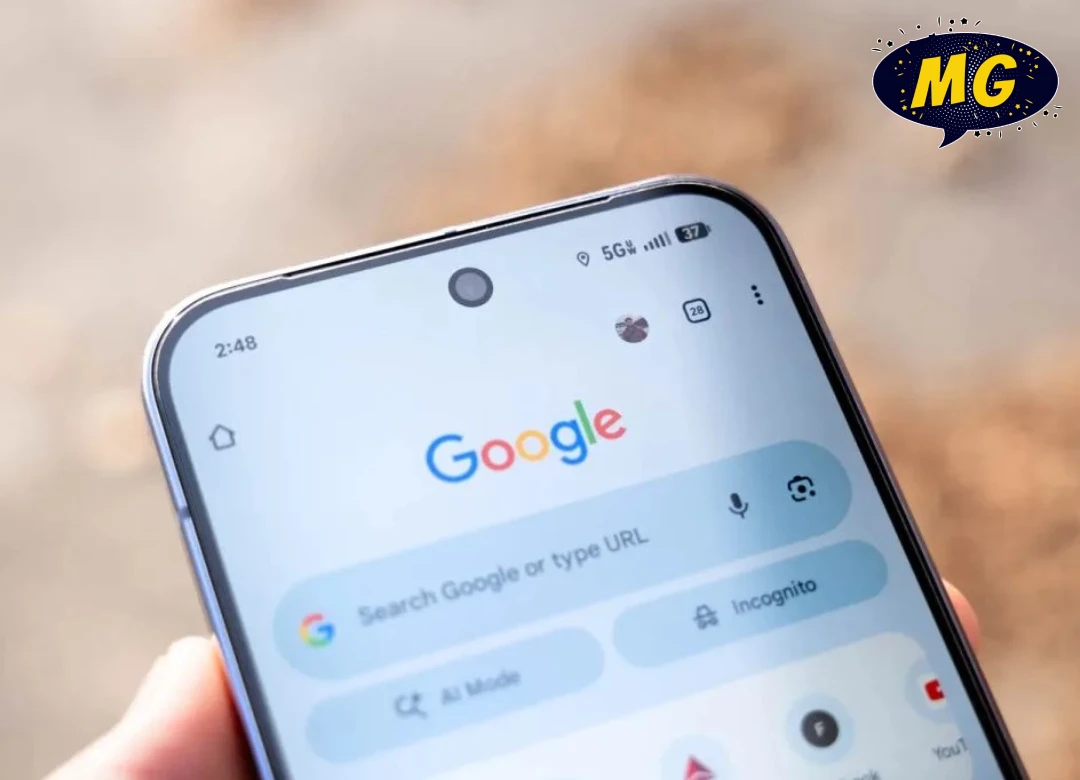
In a move that bridges the gap between desktop and mobile browsing, Google has introduced a desktop-style bookmarks bar to its popular browser, Google Chrome, on Android devices. This new feature is designed to improve productivity and make browsing more efficient for users who rely heavily on saved links and quick access to frequently visited websites.

For years, Chrome users on desktops have benefited from a visible bookmarks bar that allows instant access to saved pages. Bringing a similar feature to Android signals Google’s continued effort to unify user experience across platforms and cater to evolving user needs.

This update is particularly useful for professionals, students, and power users who frequently switch between desktop and mobile devices.


What Is the Bookmarks Bar?

The bookmarks bar is a feature that allows users to store and quickly access their favorite or frequently visited websites.

On desktop versions of Google Chrome, the bookmarks bar appears just below the address bar and displays saved links as clickable shortcuts.

Until now, Android users had to navigate through menus to access bookmarks, which could be less convenient—especially when multitasking or browsing multiple pages.

With the introduction of a desktop-style bookmarks bar on Android, users can now access their saved websites much faster and more intuitively.


Bringing Desktop Functionality to Mobile

The addition of a bookmarks bar on Android is part of a broader trend where mobile browsers are adopting features traditionally found on desktop platforms.

By introducing this feature, Google aims to:

  • Improve usability for advanced users
  • Enhance productivity on mobile devices
  • Provide a consistent browsing experience across devices
  • Reduce the time required to access bookmarks

This update is especially beneficial for users who rely on their smartphones or tablets for work-related tasks.


How the Feature Works

The desktop-style bookmarks bar on Android is designed to function similarly to its desktop counterpart.

Key Features:

  • Displays saved bookmarks directly below the address bar
  • Allows one-tap access to frequently visited websites
  • Supports folder organization for grouped bookmarks
  • Syncs bookmarks across devices via a Google account

Users who are already signed into their Google account will see their existing bookmarks automatically appear on the bar.

This ensures a seamless transition between desktop and mobile browsing environments.


Benefits for Productivity

One of the biggest advantages of the bookmarks bar is its impact on productivity.

Faster Access to Important Sites

Instead of navigating through menus, users can open their favorite websites instantly with a single tap.

Better Workflow Management

Professionals who use web-based tools such as email, project management platforms, or research sites can organize their bookmarks for quick access.

Reduced Navigation Time

The bookmarks bar eliminates the need for repeated searches, saving time during daily browsing activities.

For users who spend a significant amount of time online, these small improvements can lead to a more efficient workflow.


Ideal for Tablets and Larger Screens

The desktop-style bookmarks bar is particularly useful on larger Android devices such as tablets.

Devices with bigger screens provide more space to display multiple bookmarks without cluttering the interface.

This makes the feature especially valuable for:

  • Tablet users
  • Foldable device users
  • Professionals working on mobile devices

As Android devices continue to evolve with larger and more flexible displays, features like the bookmarks bar become increasingly relevant.


Syncing Across Devices

One of the standout features of Google Chrome is its ability to sync data across devices.

With the bookmarks bar enabled, users can enjoy seamless access to their saved websites whether they are using:

  • A desktop computer
  • A laptop
  • An Android smartphone
  • An Android tablet

This cross-device synchronization ensures that users can maintain continuity in their browsing experience.

For example, a user can save a website on their laptop and access it instantly on their smartphone.


Customization and Organization

The bookmarks bar also offers improved organization options.

Users can:

  • Create folders for different categories (work, entertainment, shopping, etc.)
  • Rename bookmarks for easier identification
  • Rearrange bookmarks to prioritize frequently used sites

This level of customization allows users to tailor the browsing experience according to their needs.

A well-organized bookmarks bar can act as a personal dashboard for frequently accessed content.


Comparison With Previous Android Experience

Before this update, accessing bookmarks on Android involved several steps:

  1. Open the Chrome menu
  2. Tap on “Bookmarks”
  3. Navigate through folders

While functional, this process was less efficient compared to the desktop experience.

The new bookmarks bar simplifies this workflow by placing bookmarks directly within reach.

This change reflects Google’s effort to make mobile browsing more intuitive and user-friendly.


Competition in Mobile Browsers

The mobile browser market is highly competitive, with alternatives such as:

  • Mozilla Firefox
  • Microsoft Edge
  • Samsung Internet

Each browser offers unique features to attract users.

By introducing desktop-like functionality on Android, Google Chrome strengthens its position as a leading browser by combining familiarity with innovation.


Challenges and Considerations

While the bookmarks bar is a useful feature, there are some considerations:

Screen Space Limitations

On smaller smartphones, displaying a bookmarks bar may reduce available screen space for web content.

User Preferences

Some users may prefer a minimalist interface without additional elements on the screen.

Feature Availability

The rollout may be gradual, meaning not all users will receive the feature at the same time.

Despite these challenges, the benefits of improved accessibility and productivity are likely to outweigh potential drawbacks for many users.


The Future of Mobile Browsing

The introduction of a desktop-style bookmarks bar on Android reflects a broader trend in technology: the convergence of mobile and desktop experiences.

As smartphones become more powerful, users increasingly expect them to handle tasks traditionally performed on computers.

Future developments in mobile browsing may include:

  • More advanced multitasking features
  • Improved tab management
  • Enhanced integration with productivity tools
  • AI-driven browsing assistance

Companies like Google are continuously working to make mobile devices more capable and versatile.


Conclusion

The addition of a desktop-style bookmarks bar to Google Chrome on Android marks a significant step forward in mobile browsing.

By bringing a familiar and highly useful feature from desktop environments to mobile devices, Google is enhancing usability, productivity, and overall user experience.

Whether for work, study, or everyday browsing, the bookmarks bar offers a faster and more efficient way to access important websites.

As mobile technology continues to evolve, features like this highlight the growing importance of seamless cross-device experiences—ensuring that users can stay productive no matter where they are. 🌐📱

admin

gauravshukla165@gmail.com https://madgossip.com

Leave a Reply

Your email address will not be published. Required fields are marked *

Recent News

Trending News

Editor's Picks

Qure.ai को AI डायग्नोस्टिक्स के लिए Gates Foundation का बड़ा अनुदान

वैश्विक डिजिटल हेल्थ कंपनी Qure.ai को Bill & Melinda Gates Foundation से मल्टीमिलियन डॉलर का अनुदान मिला है। इसका उद्देश्य टीबी (ट्यूबरकुलोसिस) और निमोनिया की शुरुआती पहचान के लिए अत्याधुनिक AI डायग्नोस्टिक्स के विकास और तैनाती को तेज करना है—खासकर उन क्षेत्रों में जहां समय पर मेडिकल इमेजिंग और विशेषज्ञ डॉक्टरों की कमी है। यह...

सायना नेहवाल का रिटायरमेंट: एक युग का अंत क्यों है

जब Saina Nehwal ने 2000 के दशक के मध्य में अंतरराष्ट्रीय मंच पर कदम रखा, तब भारतीय बैडमिंटन में निरंतरता की कमी थी। हमारे पास Prakash Padukone और Pullela Gopichand जैसे दिग्गज थे, लेकिन दुनिया के टॉप 5 में लगातार बने रहने वाला खिलाड़ी नहीं था। सायना ने सिर्फ एलीट में जगह नहीं बनाई—उन्होंने उस...

Apple का बड़ा Siri बदलाव: वॉइस असिस्टेंट से AI चैटबॉट की ओर

Apple अपने वर्चुअल असिस्टेंट Siri के इतिहास के सबसे बड़े बदलावों में से एक की तैयारी कर रहा है। रिपोर्ट्स के अनुसार, Apple Siri को एक साधारण टास्क-आधारित वॉइस असिस्टेंट से बदलकर एक बातचीत करने वाला AI चैटबॉट बनाने पर काम कर रहा है—जिसमें Google Gemini जैसे बड़े भाषा मॉडल (LLMs) की मदद ली जा...

वैज्ञानिकों ने खोजा अब तक का सबसे तेज़ घूमने वाला विशाल क्षुद्रग्रह

खगोलविदों ने अब तक का सबसे तेज़ घूमने वाला बड़ा asteroid (क्षुद्रग्रह) खोजा है। यह खोज वैज्ञानिकों की उस समझ को बदल रही है कि सौरमंडल के शुरुआती समय के ये चट्टानी अवशेष कैसे व्यवहार करते हैं, विकसित होते हैं और अत्यधिक भौतिक दबाव में टिके रहते हैं। यह खोज क्षुद्रग्रहों की संरचना और उनकी...

Epic Games–Google समझौता: $800 मिलियन की पार्टनरशिप डील शामिल

टेक इंडस्ट्री के सबसे चर्चित कानूनी मामलों में एक बड़े मोड़ के तहत, Epic Games और Google के बीच प्रस्तावित समझौते में $800 मिलियन की मल्टी-ईयर पार्टनरशिप सामने आई है। यह समझौता Google के Google Play Store से जुड़े एंटीट्रस्ट विवाद का हिस्सा है। यह जानकारी जनवरी 2026 में U.S. District Court for the Northern...
एक ऐसा स्थान जहाँ विचार विकसित होते हैं, कहानियाँ जुड़ती हैं, और ज्ञान साझा किया जाता है ताकि दुनिया भर के जिज्ञासु मनों को प्रेरित किया जा सके।

ज़रूर पढ़ें

©2024- All Right Reserved. Designed and Developed by  MadGossip

What's Hot