




Introduction
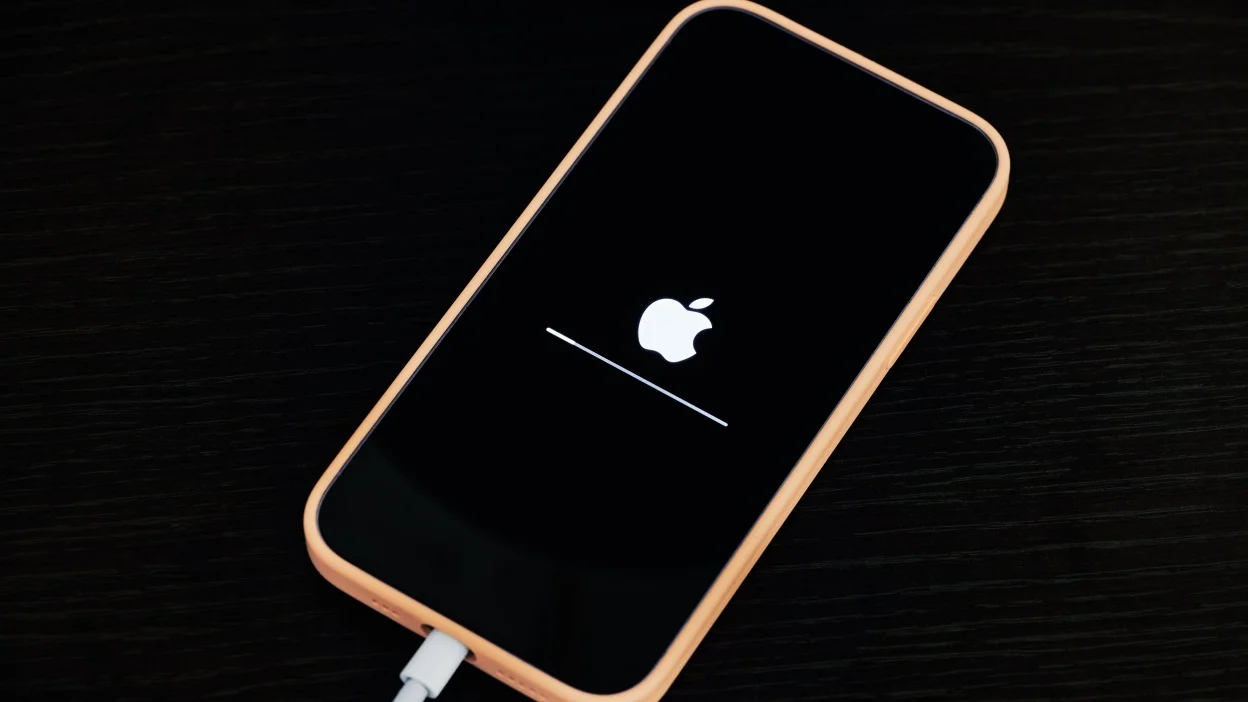
In a significant step toward enhancing user safety, Apple has introduced its first background security update system for devices. This new approach allows critical security improvements to be delivered silently in the background—without requiring users to manually install updates or even interrupt their daily usage.
The move marks a shift in how Apple handles device security, focusing on real-time protection and faster response to emerging threats. With cyber risks becoming more sophisticated, this feature aims to ensure that users remain protected at all times.
What Is a Background Security Update?
Traditionally, software updates—including security patches—require users to download and install them manually or approve automatic updates. This often leads to delays, as many users postpone updates due to inconvenience or lack of awareness.
With the new system introduced by Apple, certain security fixes can now be applied in the background without user intervention.
This means:
- No need to restart the device
- No disruption to ongoing tasks
- Faster deployment of critical fixes
The update mechanism ensures that important security patches reach users almost instantly after being released.
Why This Matters
Security vulnerabilities can be exploited quickly once they are discovered. In many cases, hackers target devices that have not yet been updated with the latest patches.
By enabling background updates, Apple is addressing a key challenge in cybersecurity: delayed patch adoption.
Key Benefits:
- Faster Protection: Devices receive fixes immediately
- Reduced User Dependency: No need for manual updates
- Improved Security Coverage: More devices stay protected
- Seamless Experience: No interruptions during usage
This proactive approach helps minimize the window of vulnerability for users.
How the System Works
The background security update system is designed to deliver targeted patches for specific vulnerabilities rather than full software updates.
These updates are:
- Smaller in size
- Focused on security fixes
- Installed automatically in the background
Unlike major operating system updates, these patches do not introduce new features or interface changes. Instead, they focus solely on strengthening the device’s defenses.
This allows Apple to respond quickly to emerging threats without waiting for the next full OS release.
Devices and Platforms Affected
The new background security update system is expected to be available across Apple’s ecosystem, including:
- iPhone
- iPad
- Mac
By implementing this feature across multiple device categories, Apple ensures consistent protection for users regardless of the platform they use.
This is particularly important in an era where users often own multiple connected devices.
A Shift in Apple’s Security Strategy
Apple has long emphasized privacy and security as core pillars of its products. However, this new update mechanism represents a shift toward continuous, real-time protection.
Previously, users had to rely on periodic updates to stay secure. Now, Apple is moving toward a model where security improvements are delivered continuously in the background.
This approach is similar to how some cloud-based systems and enterprise software handle security updates, ensuring that vulnerabilities are addressed as quickly as possible.
Comparison With Traditional Updates
Traditional Updates:
- Require user approval
- Often involve device restarts
- Delivered periodically
- Include multiple changes (features + fixes)
Background Security Updates:
- Installed automatically
- No restart required
- Delivered instantly
- Focused only on security
This new system complements traditional updates rather than replacing them entirely.
Users will still receive major OS updates for new features and improvements, but critical security fixes can now be deployed independently.
Addressing Growing Cyber Threats
The introduction of background security updates comes at a time when cyber threats are becoming more advanced and widespread.
Modern attacks often exploit newly discovered vulnerabilities within hours or days. This makes rapid patch deployment essential.
By enabling faster updates, Apple aims to:
- Reduce the risk of large-scale attacks
- Protect users from zero-day vulnerabilities
- Strengthen overall ecosystem security
This proactive approach is becoming increasingly important in today’s digital landscape.
User Control and Transparency
While the system operates in the background, Apple is expected to maintain transparency by informing users about applied updates.
Users may still have options to:
- View update history
- Manage update settings
- Enable or disable automatic updates (in some cases)
This ensures that users remain informed while benefiting from enhanced security.
Industry Impact
Apple’s move could influence other technology companies to adopt similar approaches.
Companies such as:
- Microsoft
have also been working on improving update mechanisms to enhance security and reduce user friction.
The shift toward background updates reflects a broader industry trend focused on automation and real-time protection.
The Future of Device Security
The introduction of background security updates may signal a new era in device protection.
Future developments could include:
- AI-driven threat detection
- Automated vulnerability patching
- Continuous system monitoring
- Enhanced cross-device security integration
As technology evolves, security systems are likely to become more proactive and less reliant on user intervention.
Conclusion
With the rollout of its first background security update system, Apple is redefining how device security is managed.
By delivering critical patches silently and instantly, the company is addressing one of the biggest challenges in cybersecurity—ensuring timely updates for all users.
This innovation not only enhances protection but also improves the overall user experience by eliminating the need for manual updates and interruptions.
As cyber threats continue to evolve, approaches like this will play a crucial role in keeping devices secure in an increasingly connected world. 🔒📱